SafeMilo
A senior-friendly app that turns online safety into confidence
Project Overview
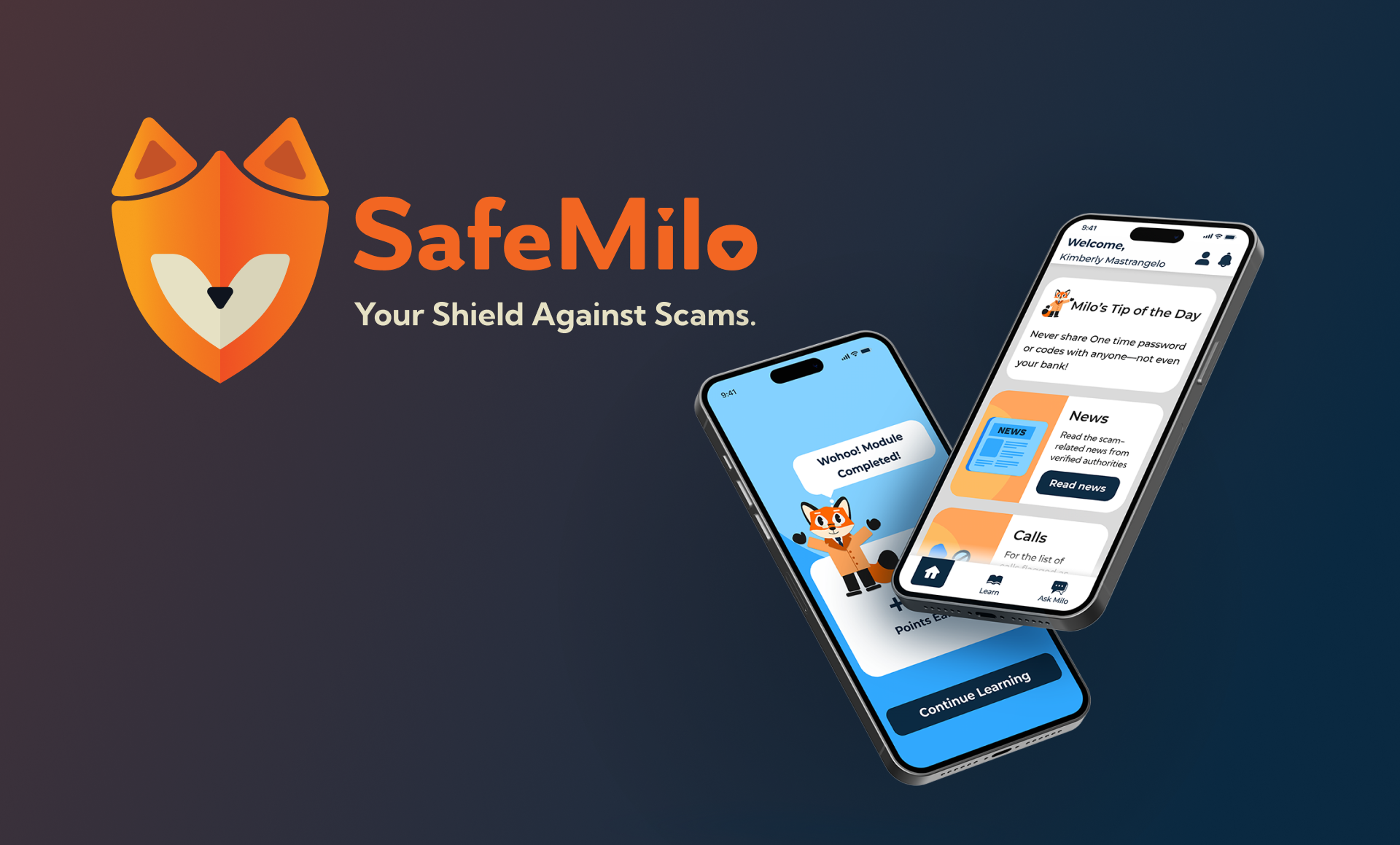
SafeMilo is a mobile app built to protect seniors from online scams through education, alerts, and support. The app screens suspicious calls or messages, delivers bite-sized learning modules, verified scam news, and a 24/7 AI chatbot, all wrapped in a warm, senior-friendly interface. The goal was to design a product that doesn't just detect scams, but also educates and empowers seniors to feel safe when using technology.
The Problem
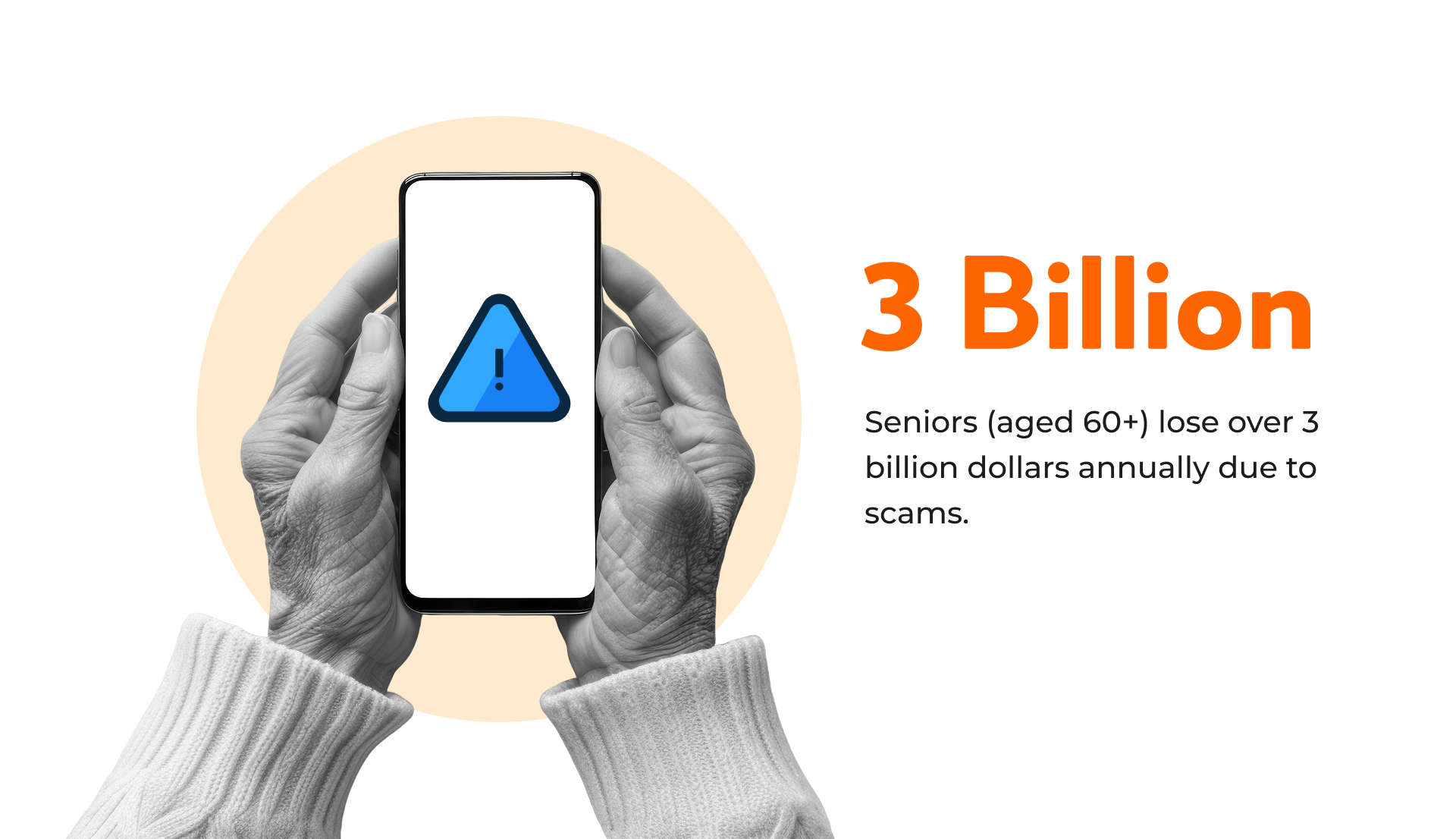
In today’s digital world, seniors (65+) are among the most targeted by scammers. Many feel anxious or ashamed after falling for fake calls, messages, or phishing links.
They struggle with:
SafeMilo tackles this by combining education, real-time protection, and emotional reassurance, not just stopping scams, but building confidence.
Research & Insights
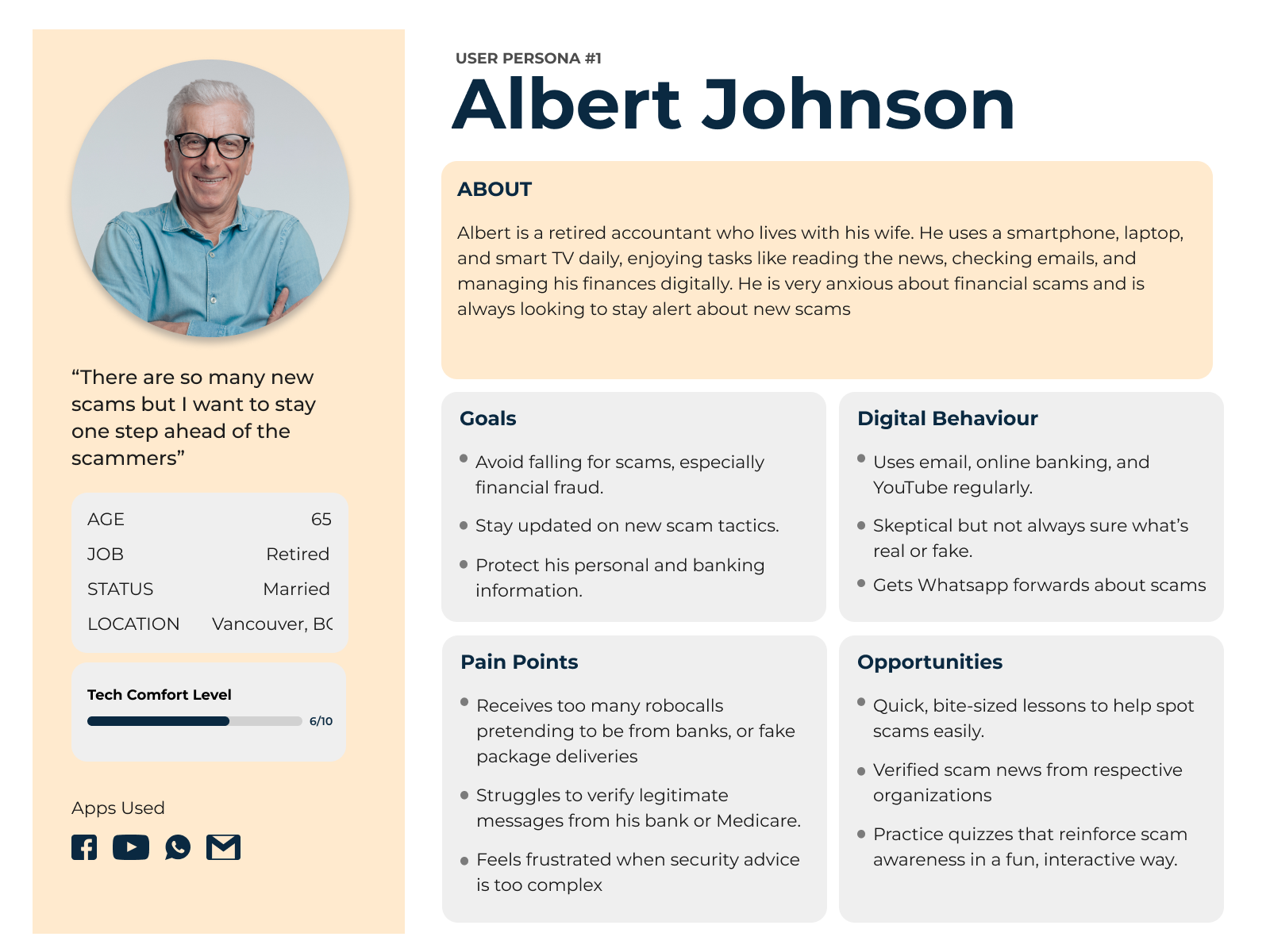
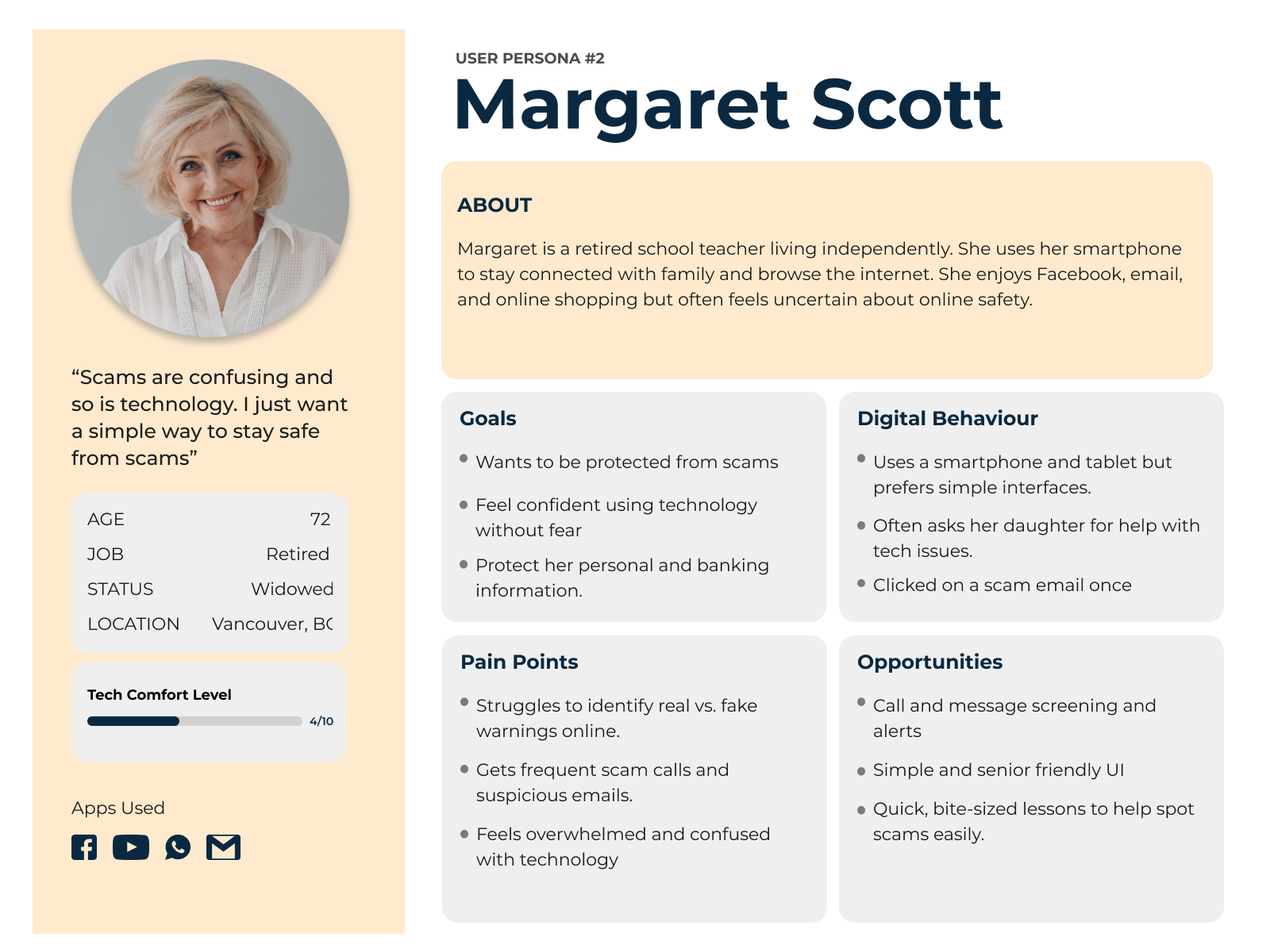
Primary Research: User Interviews and Personas
Our research goal is to understand how seniors recognize and respond to scams, and identify the design patterns, content formats, and support features that make a mobile app intuitive, accessible, and effective for scam prevention and education. We combined primary interviews with seniors and secondary research on apps like Scam Shield, GranPad, and MediSafe.
Two participant cohorts were interviewed: seniors (60+) and adults (18–60) who regularly support seniors with technology.
Key Insights
These findings directly informed SafeMilo’s emphasis on plain language, verified news, voice/large-type interfaces, and just-in-time guidance through an AI assistant.
Secondary Research: Competitor Analysis
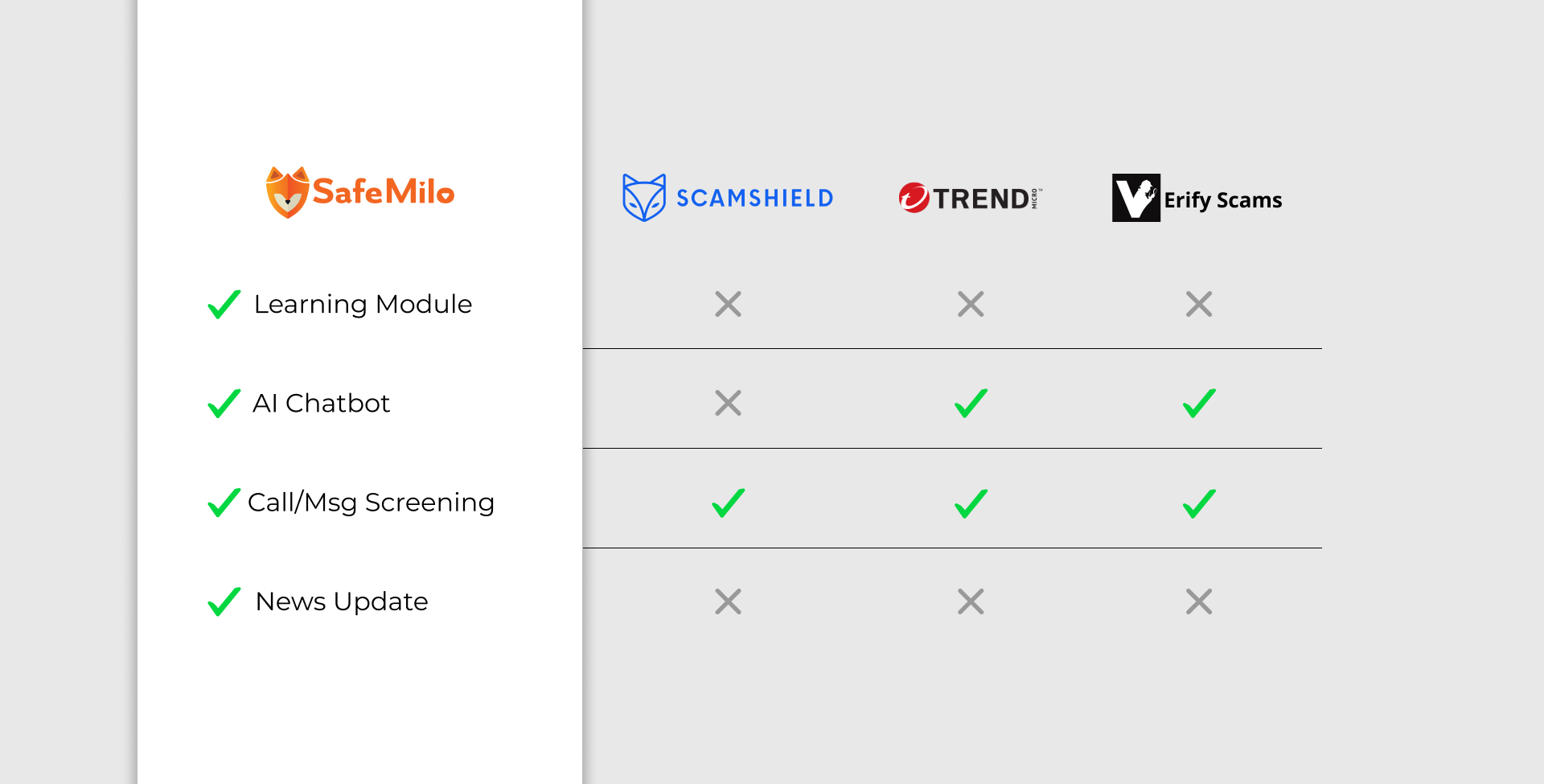
This comparison highlights that SafeMilo is the only solution to combine all four senior-critical capabilities: a structured learning module, 24/7 AI assistance, call/message screening, and verified scam news. Competing tools typically emphasize screening, while lacking guided education and a trusted information channel. As a result, SafeMilo not only mitigates immediate risk but also builds long-term user confidence and digital literacy.
Solution Definition
SafeMilo is a digital companion, not just a filter.
It teaches seniors to recognize and avoid scams while keeping them informed in real time.
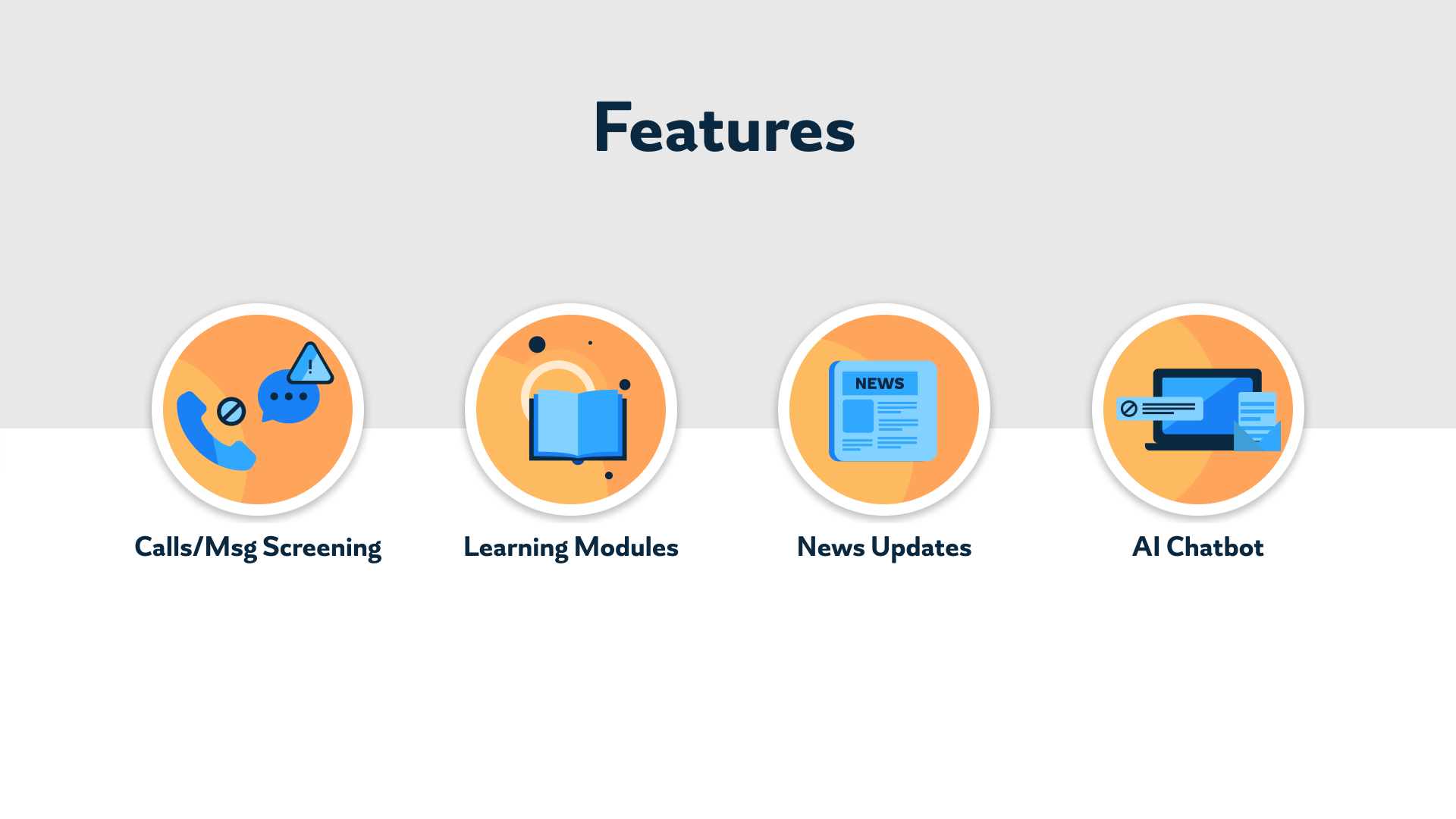
Core Features
Wireframes & Ideation
Information Architecture
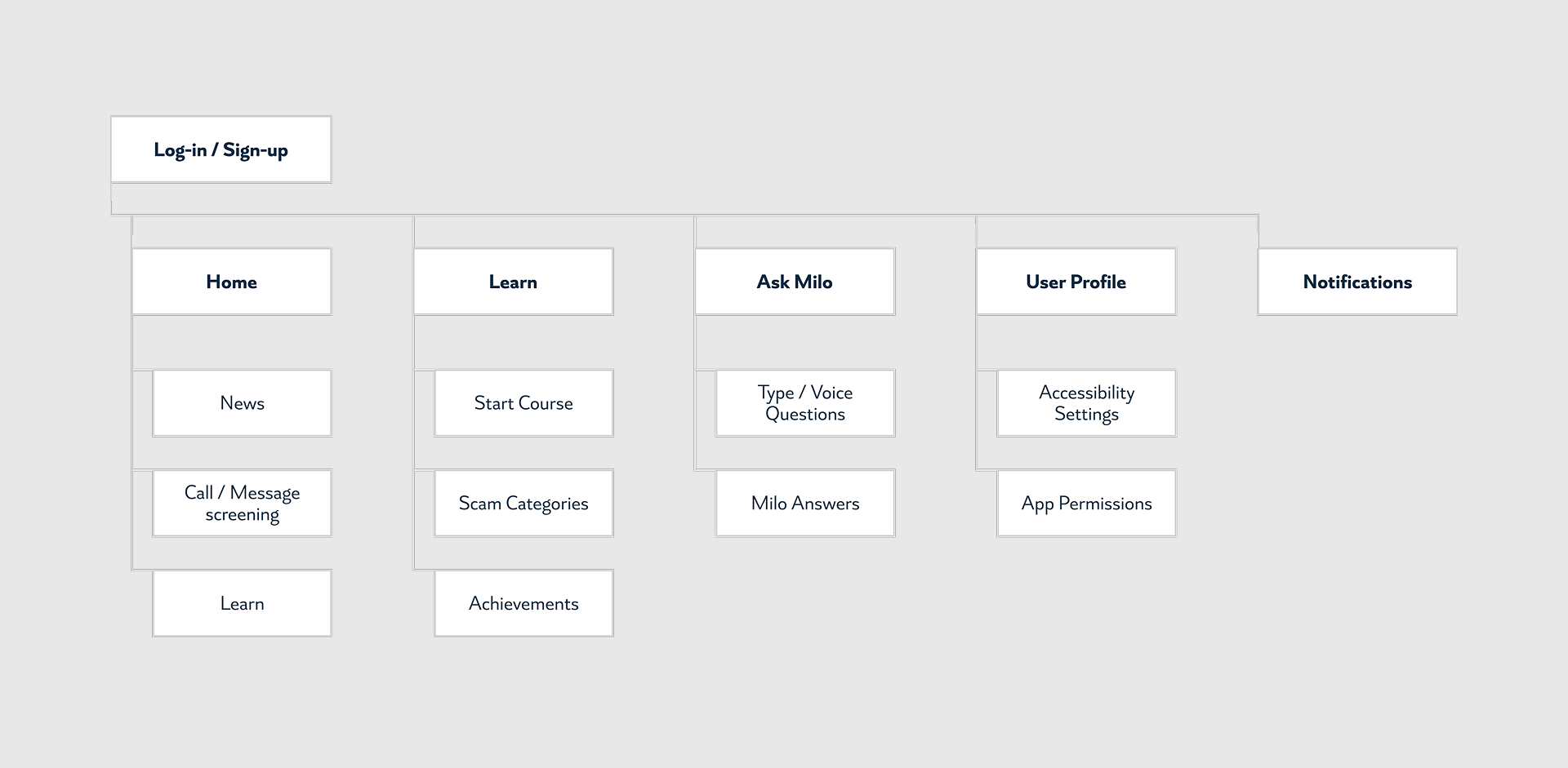
We structured SafeMilo around the senior user’s mental model of “learn, check, protect,” which informed five top-level areas: Home, Learn, Ask Milo, User Profile, and Notifications.
Wireframes
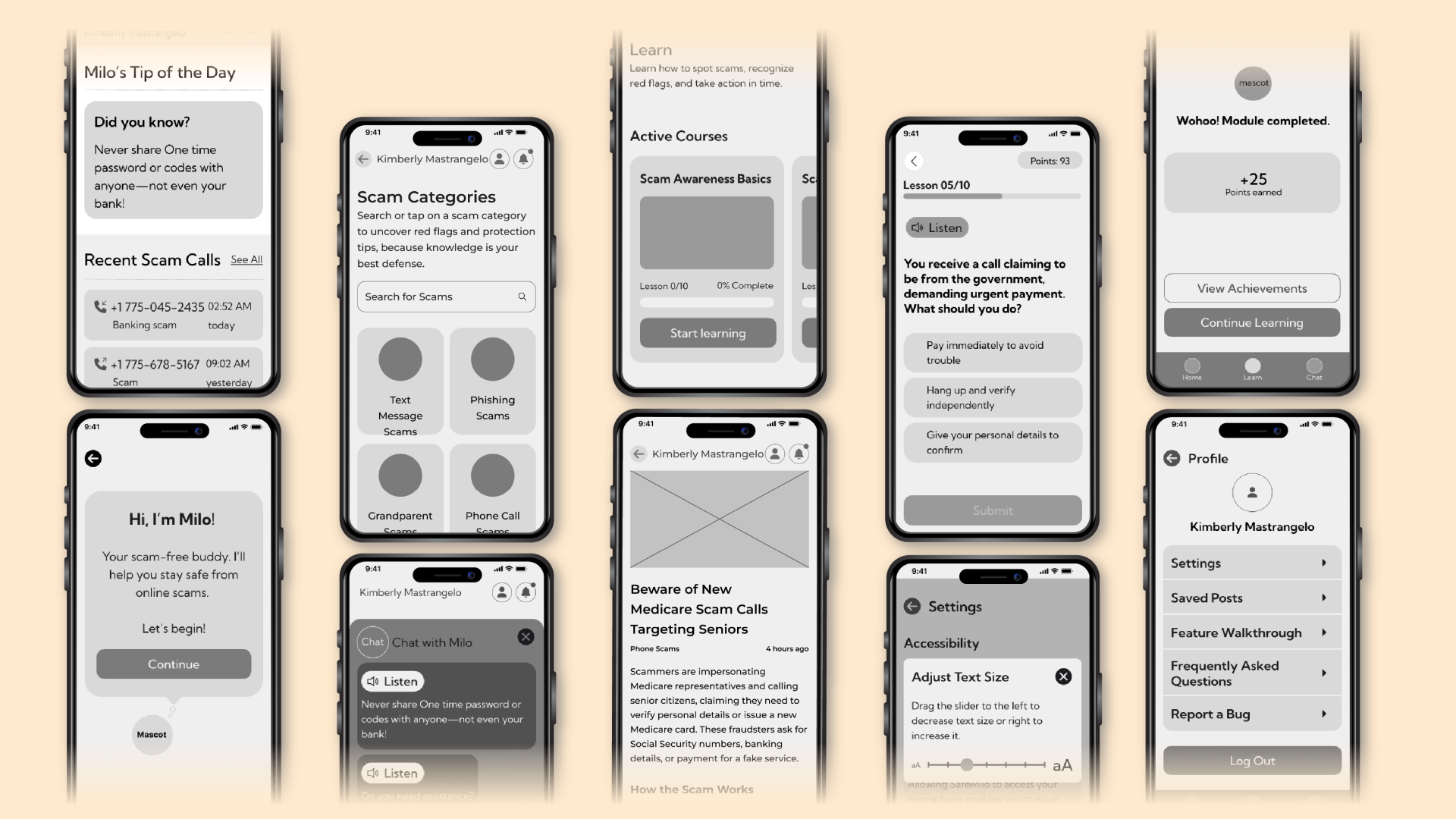
We conducted moderated usability sessions with mid-fidelity prototypes. Two key findings informed the next iteration
• Legibility: Base typography was insufficient for some participants. We introduced an in-app text-size control and increased base size/line height to improve readability.
• Information density: The Home screen created initial overwhelm. We applied progressive disclosure, prioritizing primary actions and moving secondary details behind concise cards and drill-downs.
Brand & UI Kit
Mascot
Our primary challenge was creating an experience that felt welcoming to seniors, especially those less comfortable with technology. We introduced Milo the Fox as a friendly, familiar guide to reduce anxiety and support first-time use. At the same time, because SafeMilo is a scam-protection product, we balanced Milo’s warmth with protective cues and clear system messaging, striking the right balance between approachable and trustworthy.

Color System
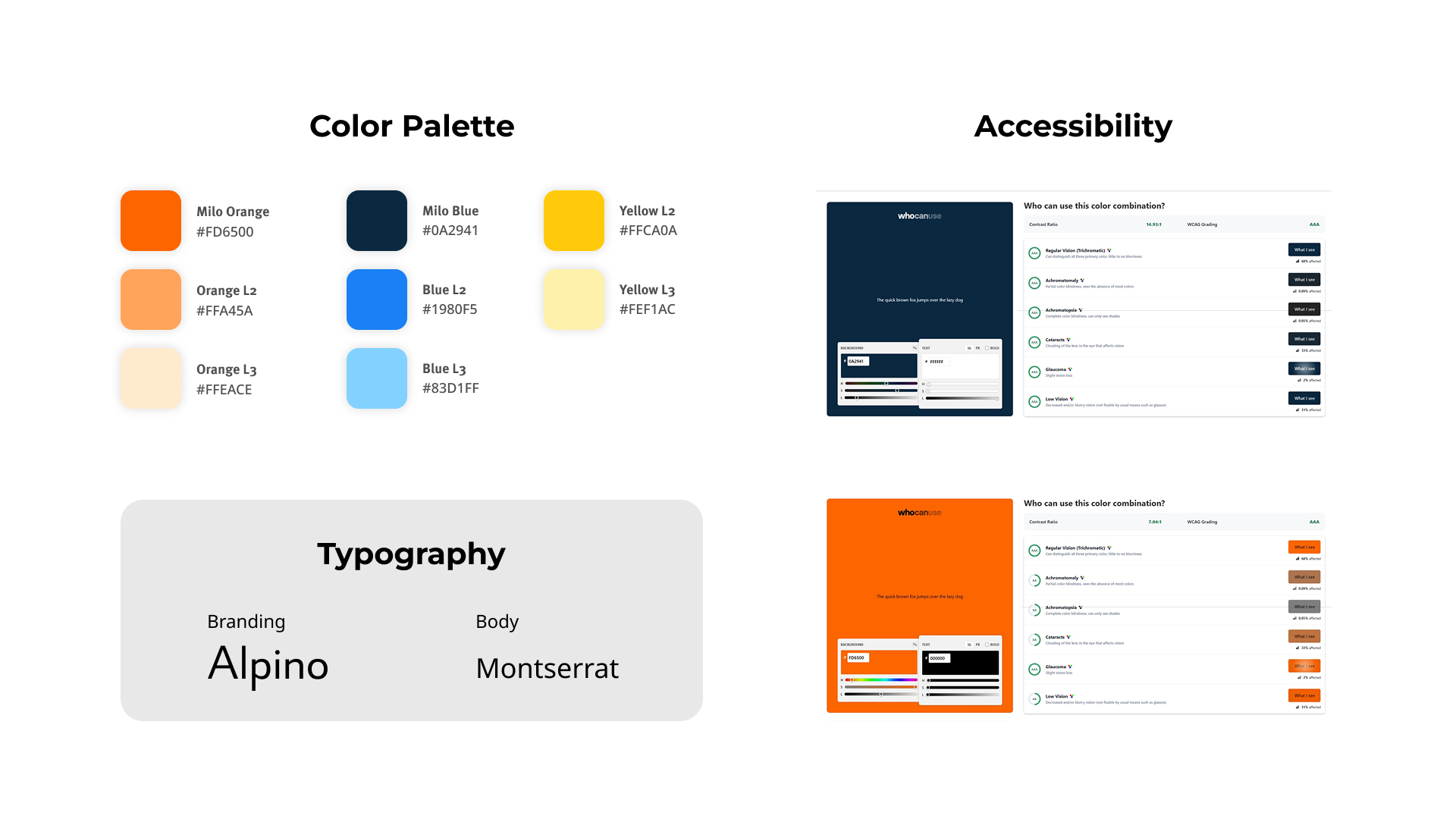
We selected a palette that communicates trust, warmth, and safety for seniors. High contrast supports readability, while Milo Orange and Deep Navy create a calm, protective atmosphere. The result is an accessible, user-friendly visual system that feels both welcoming and reliable.
The palette was tested for contrast to support WCAG AA/AAA on critical states.
Typography
Montserrat was chosen for the UI and core content due to its clean geometry, open forms, and consistent legibility across sizes, critical for senior audiences. It delivers a modern, orderly rhythm that keeps labels, buttons, and body copy easy to scan and read.
Alpino is used in brand and narrative elements to introduce a subtle humanist warmth. Its clean, slightly decorative forms maintain clarity while adding personality, reinforcing SafeMilo’s approachable voice without compromising readability.
Logo
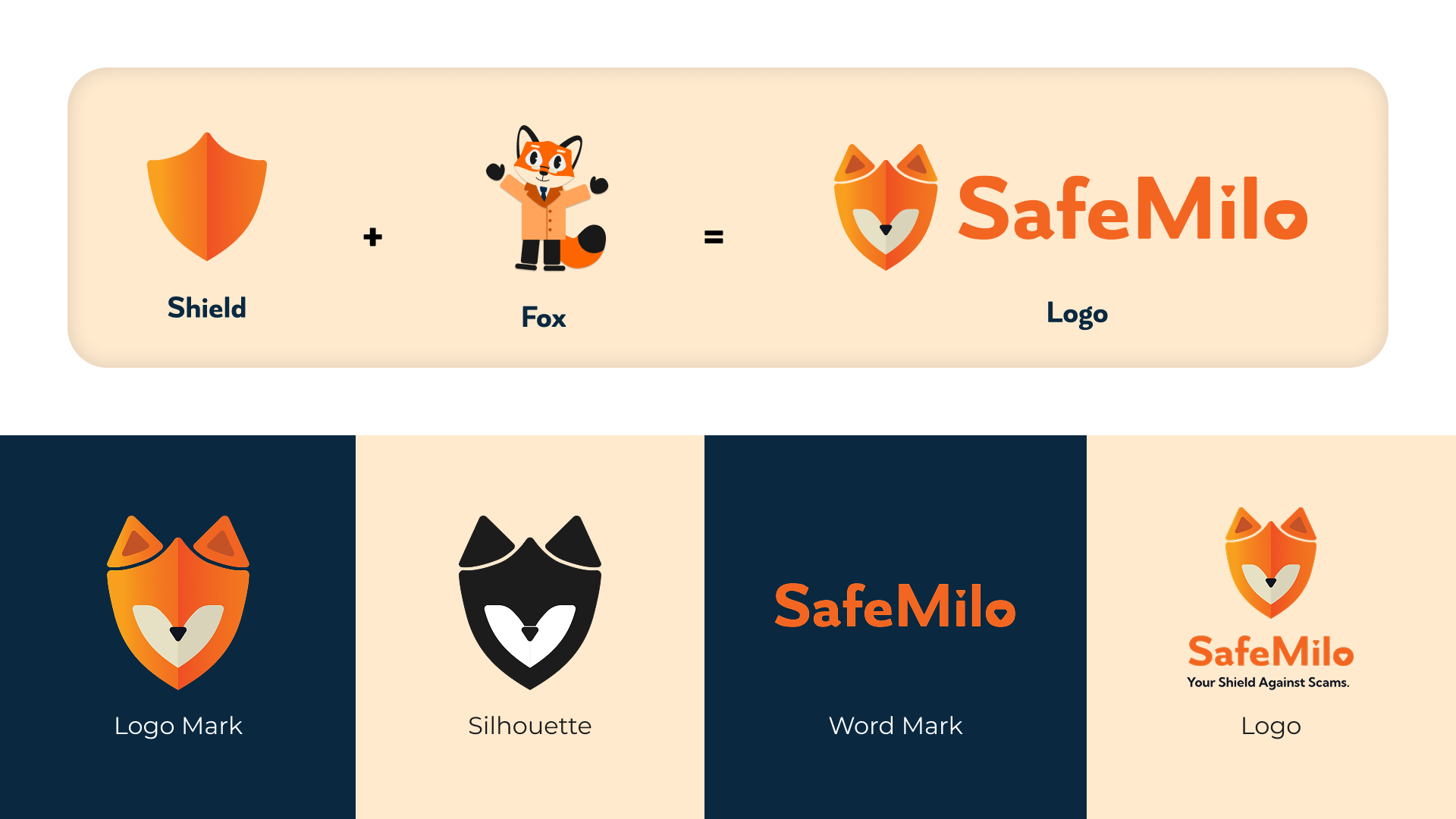
Our logo unites Milo the Fox with a shield, Milo conveys warmth and approachability, while the shield signals protection and security. Together, they express SafeMilo’s promise: a friendly companion that keeps seniors safe.
UI Kit
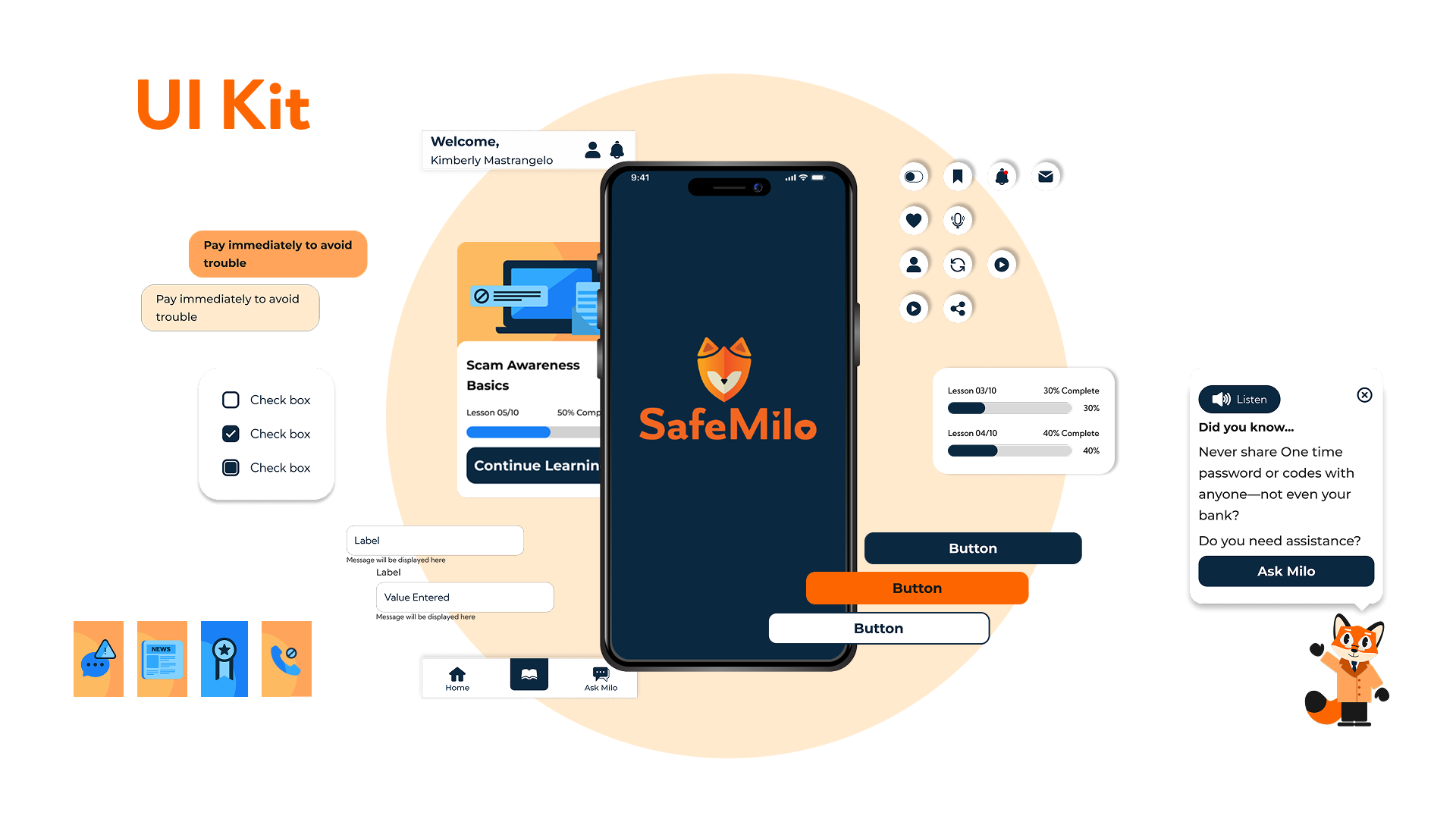
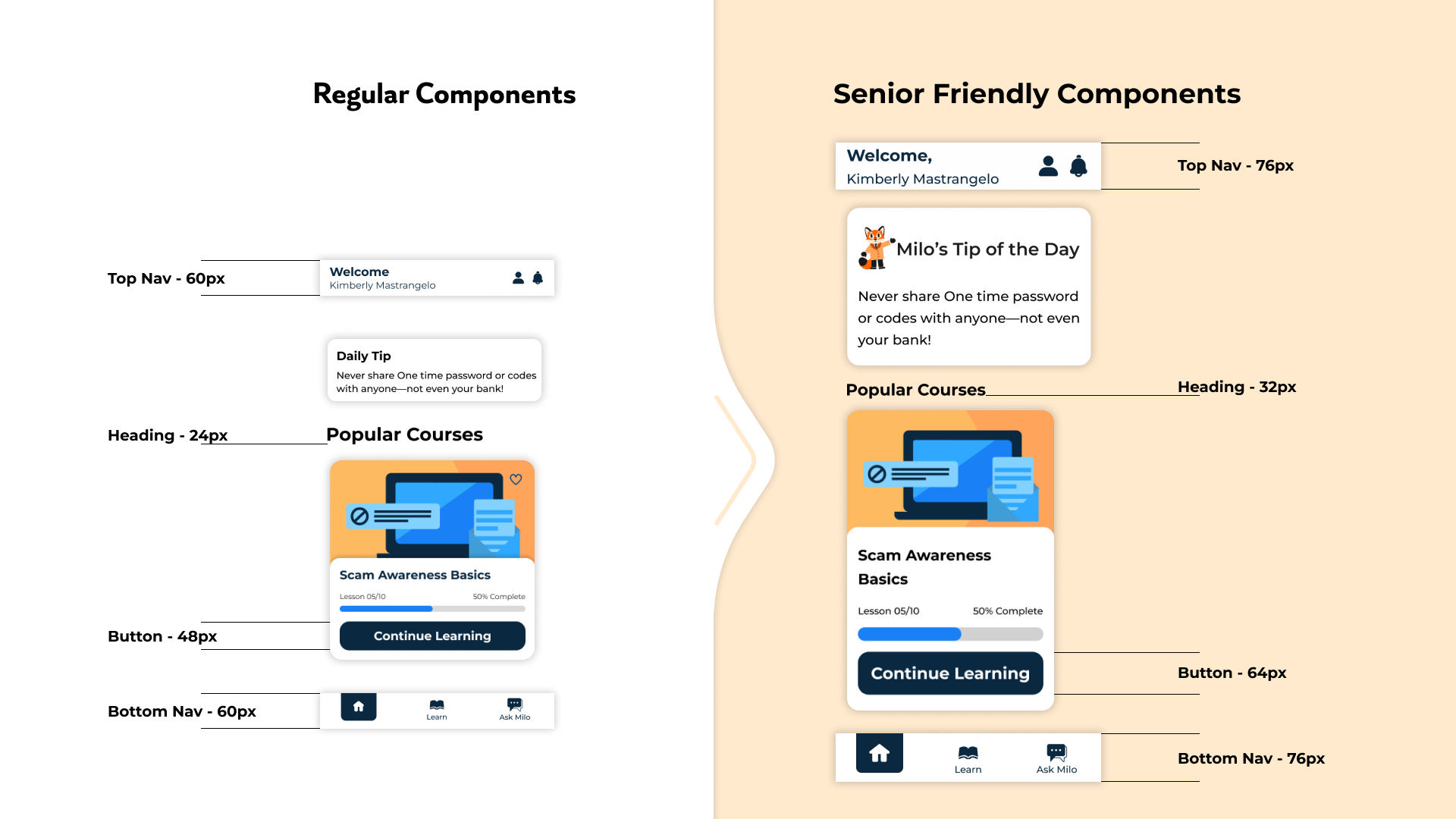
Our component library adopts rounded corners and a clean layout, pairing confident brand colors with ample white space and subtle dividers. Simple line-style illustrations add character without distraction. All interactive elements such as buttons, icons, headings, and touch targets are intentionally sized larger to support seniors’ motor and visual needs, resulting in an interface that is functional, inviting, and effortless to use.
Accessibility
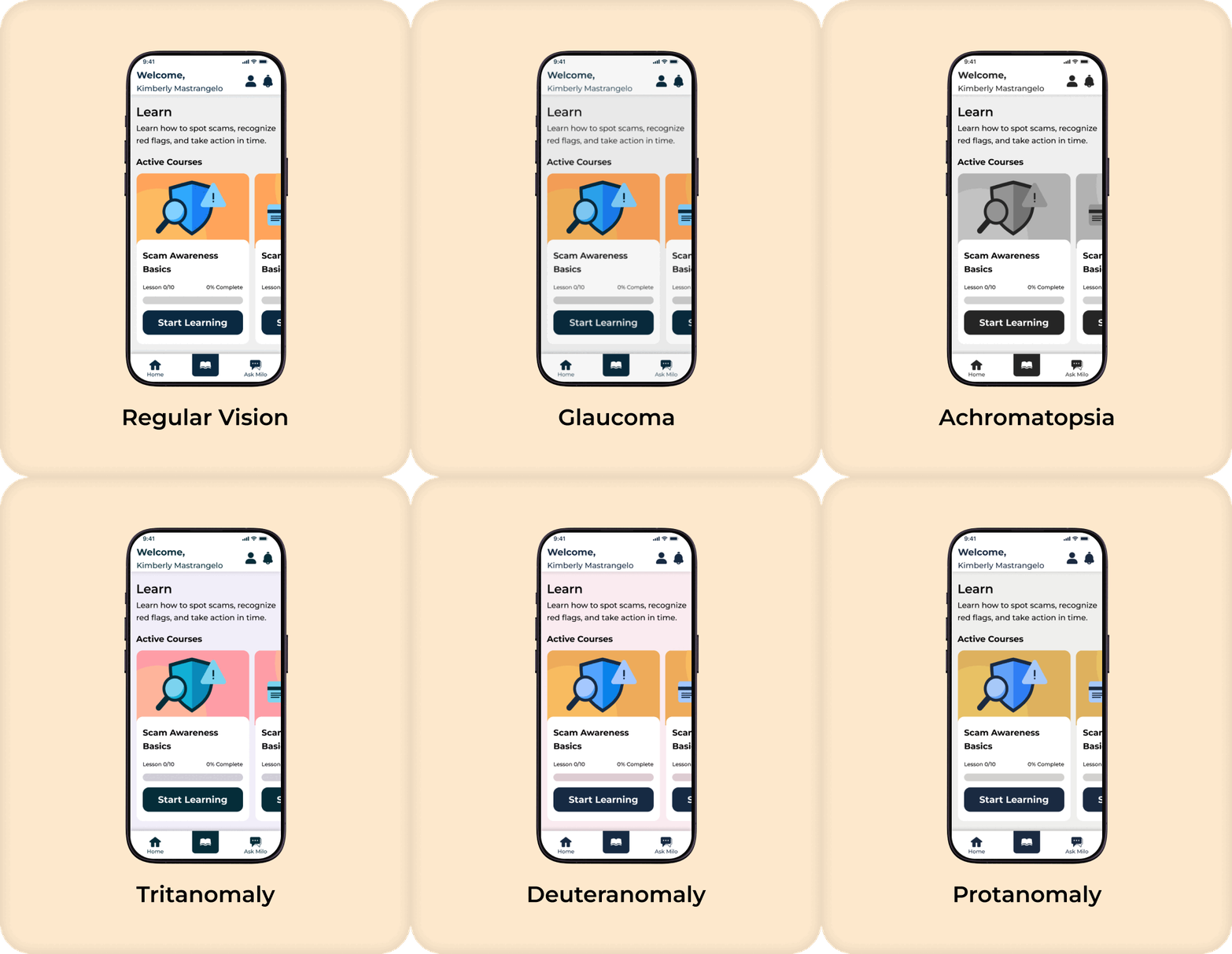
We selected a color palette that remains effective across common age-related visual impairments. It meets WCAG AA for text and icons, with AAA contrast on critical alerts, ensuring information stays distinguishable regardless of color perception. SafeMilo also includes in-app text-size controls and generous line spacing, so seniors can personalize readability without disrupting their flow. Together, these choices deliver a calm, highly legible experience for a wide range of visual needs.
Final Solution
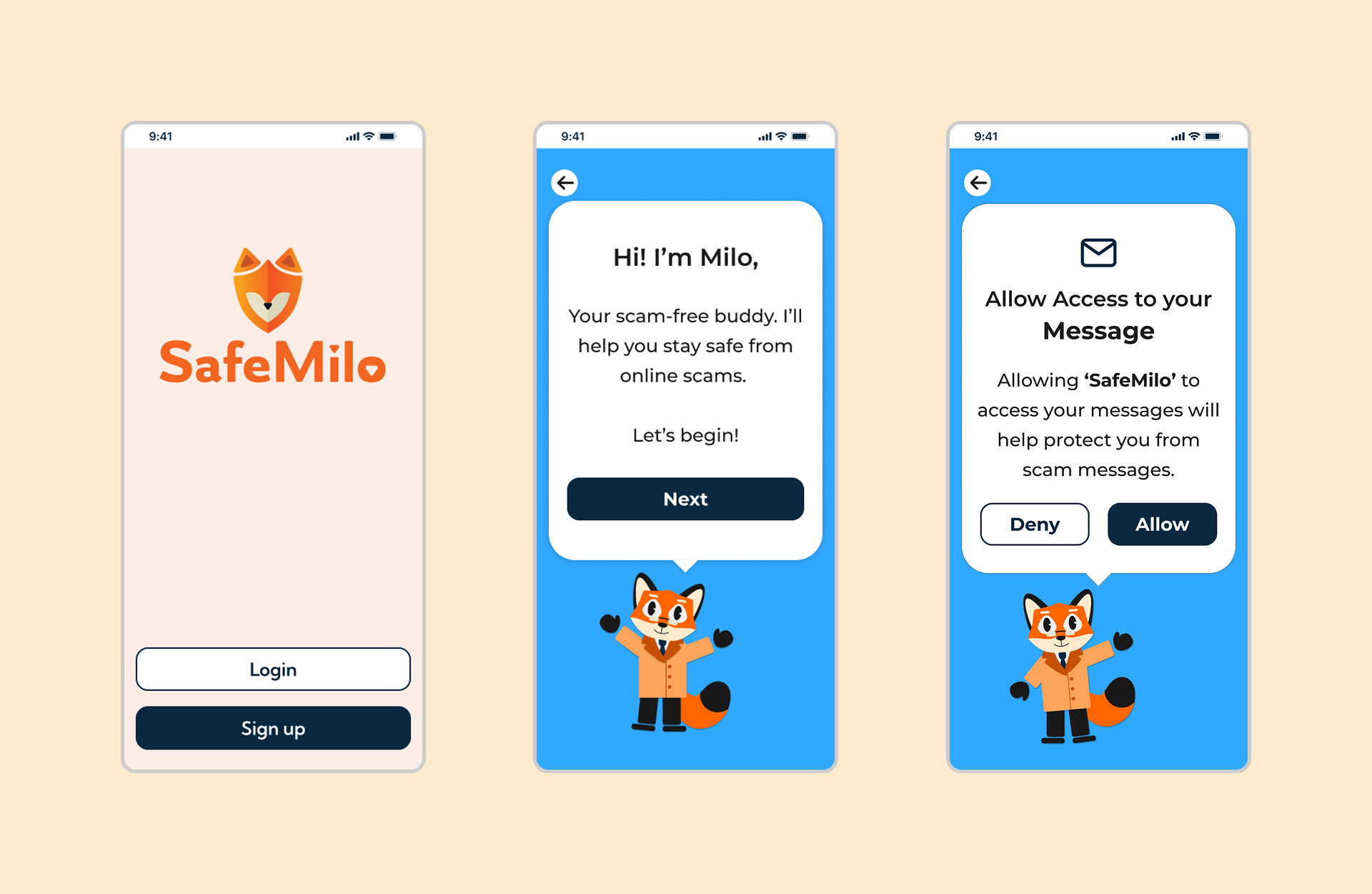
Onboarding with Mascot Guidance & Feature Walk through
Milo, our friendly mascot, welcomes first-time users and offers an optional guided tour that explains benefits and permissions in plain language.
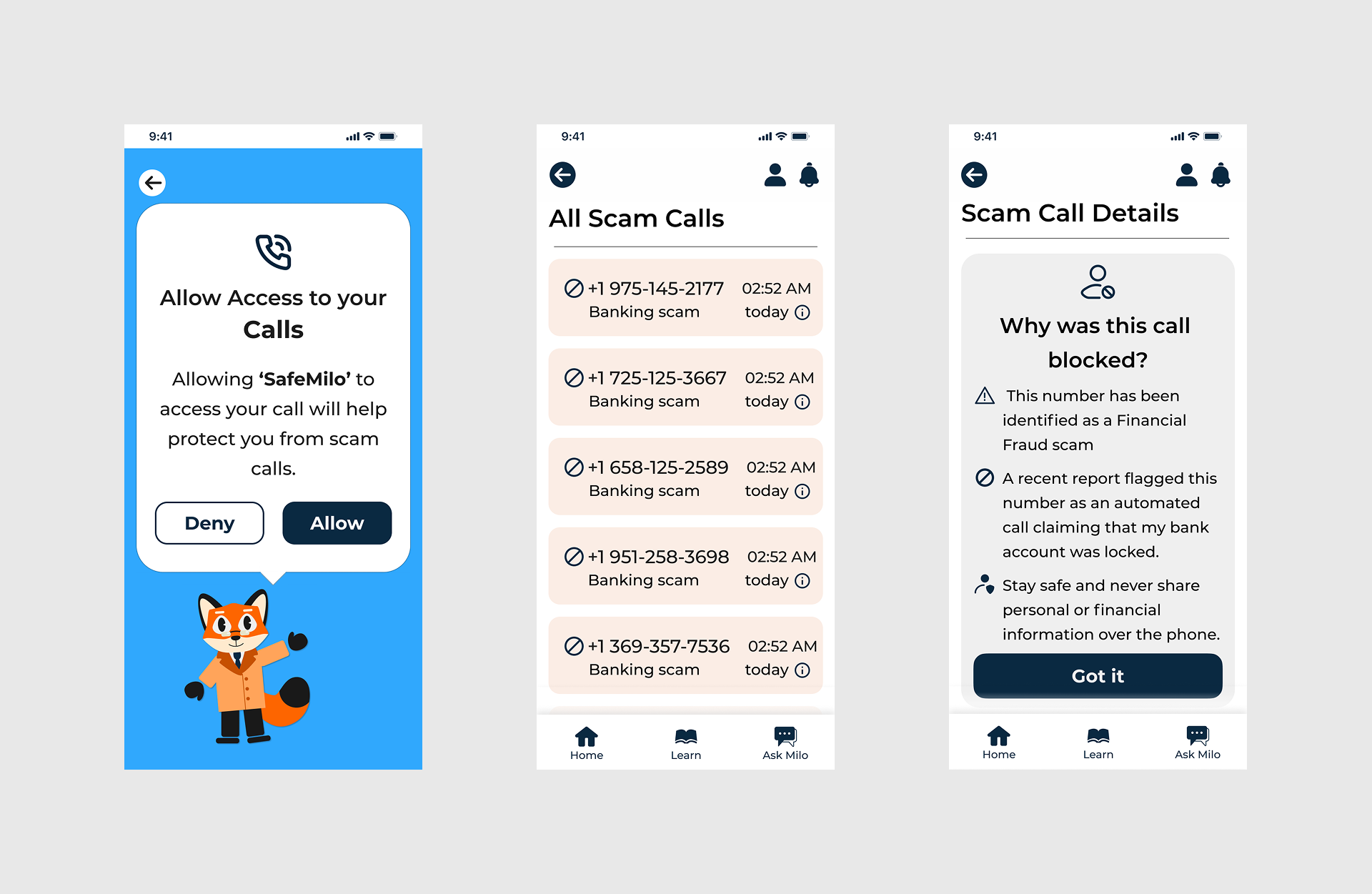
Call & Message Screening
With user consent, SafeMilo flags suspicious calls and texts and provides clear, non-technical warnings and keeping seniors informed and in control of how to respond.
Learning Modules
Bite-sized, accessible lessons with short videos and simple quizzes teach common scam patterns.
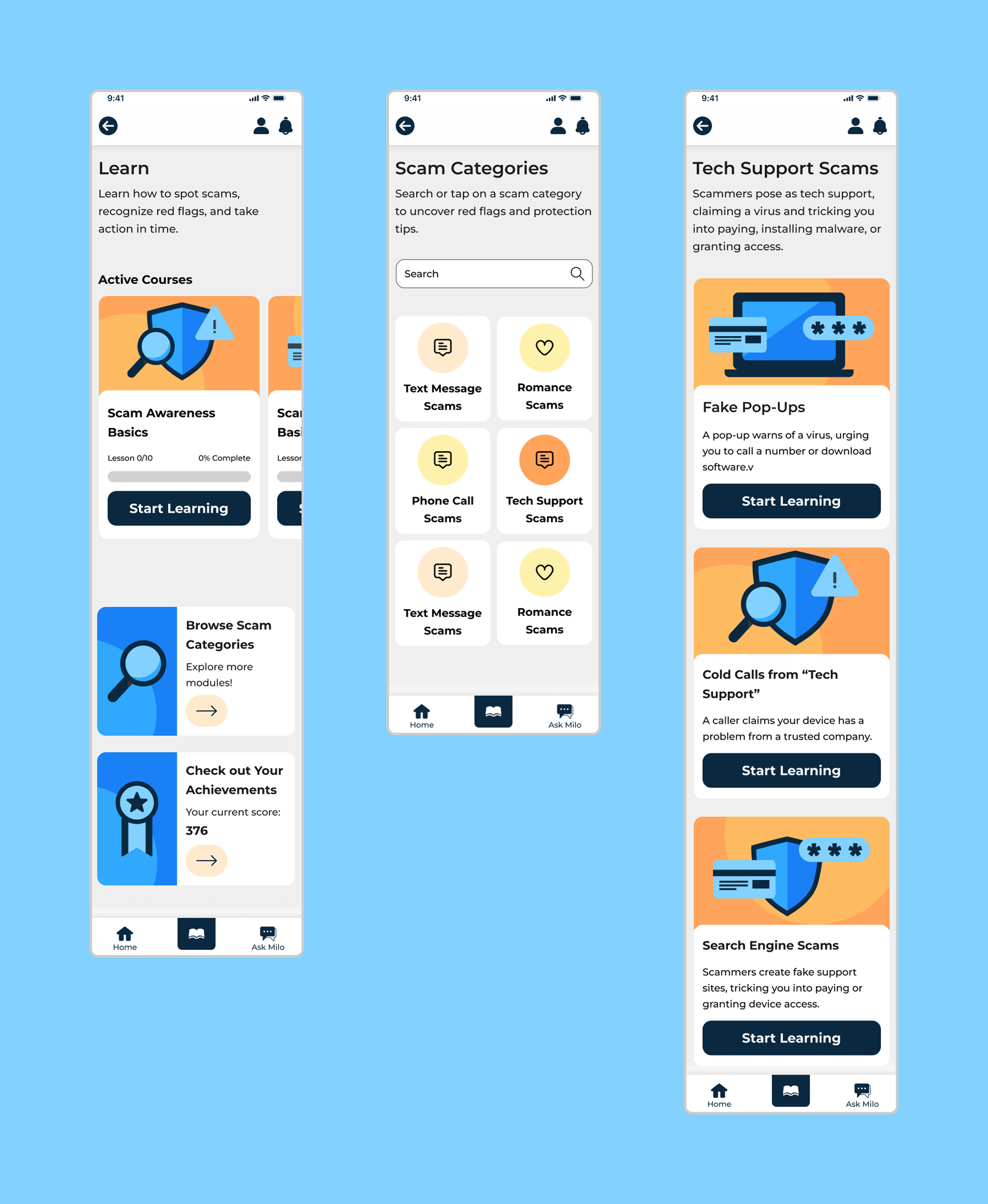
Progress is acknowledged with gentle celebrations that build confidence over time.

Verified Scam News
A dedicated feed of updates from trusted organizations (banks, insurers, law enforcement) keeps users current on emerging scams, source-first and time-stamped for trust.

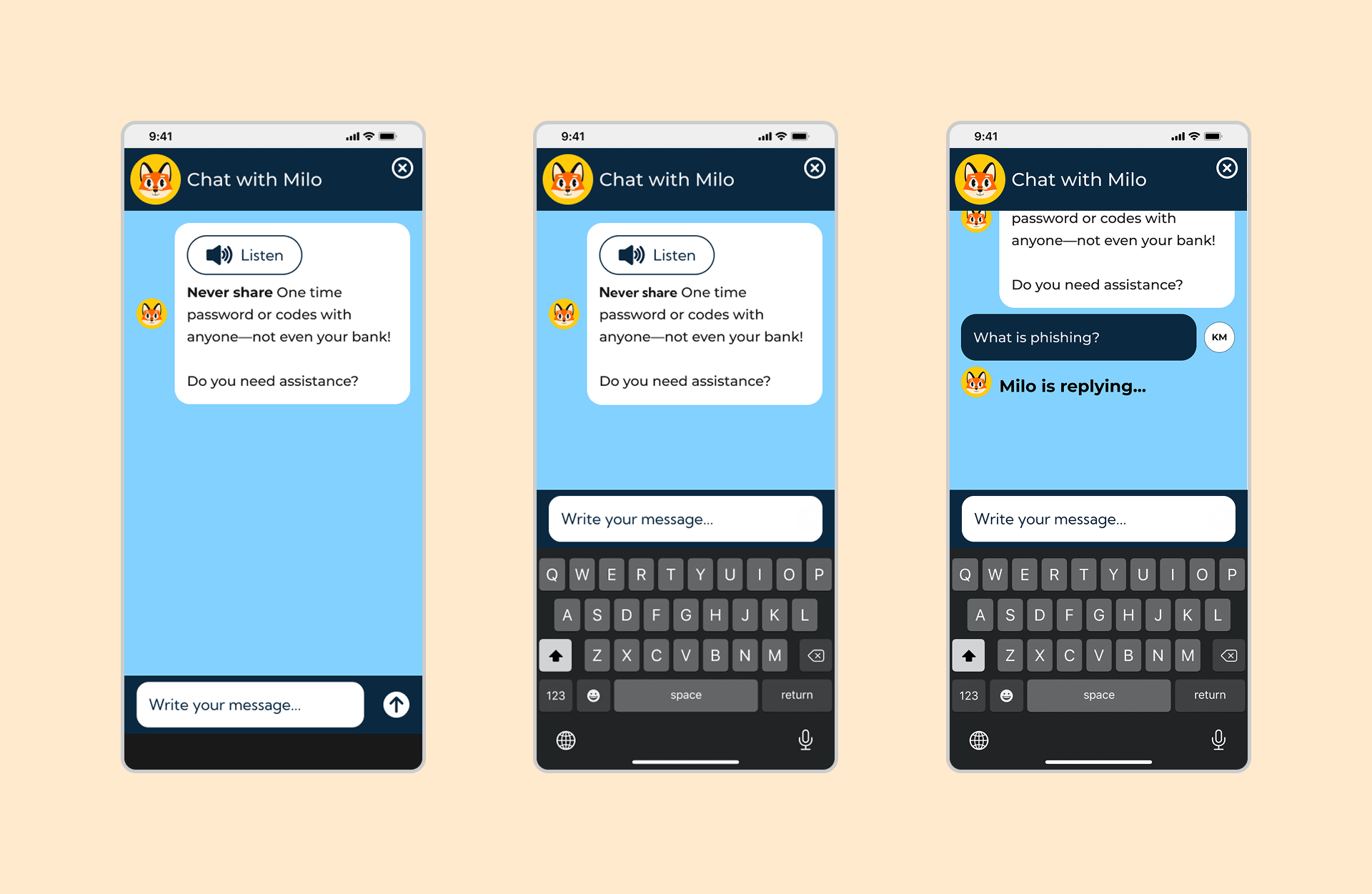
AI Chatbot (Ask Milo)
Available 24/7 to answer scam-related questions via text or voice. Users can check links, messages, or scenarios and get instant, empathetic guidance.
Future Features
• Verified Organization Access. We will gate the organization portal behind vetted admin credentials so only trusted partners (banks, insurers, law enforcement) can publish alerts. This reduces misinformation risk, strengthens content integrity, and increases user trust in every notification.
• Deeper Accessibility. Next, We will expand accessibility with dark mode, app-wide text-to-speech, adjustable text sizes, and high-contrast themes. These options let seniors personalize readability and comfort in real time, improving sustained engagement without sacrificing clarity.
• Email Scam Detection. Finally, We will extend screening beyond calls and SMS to include email. The system will flag suspicious senders, risky links, and scam keywords warning users before they open a message, so SafeMilo protects across the most common attack surfaces.
Awards & Recognition
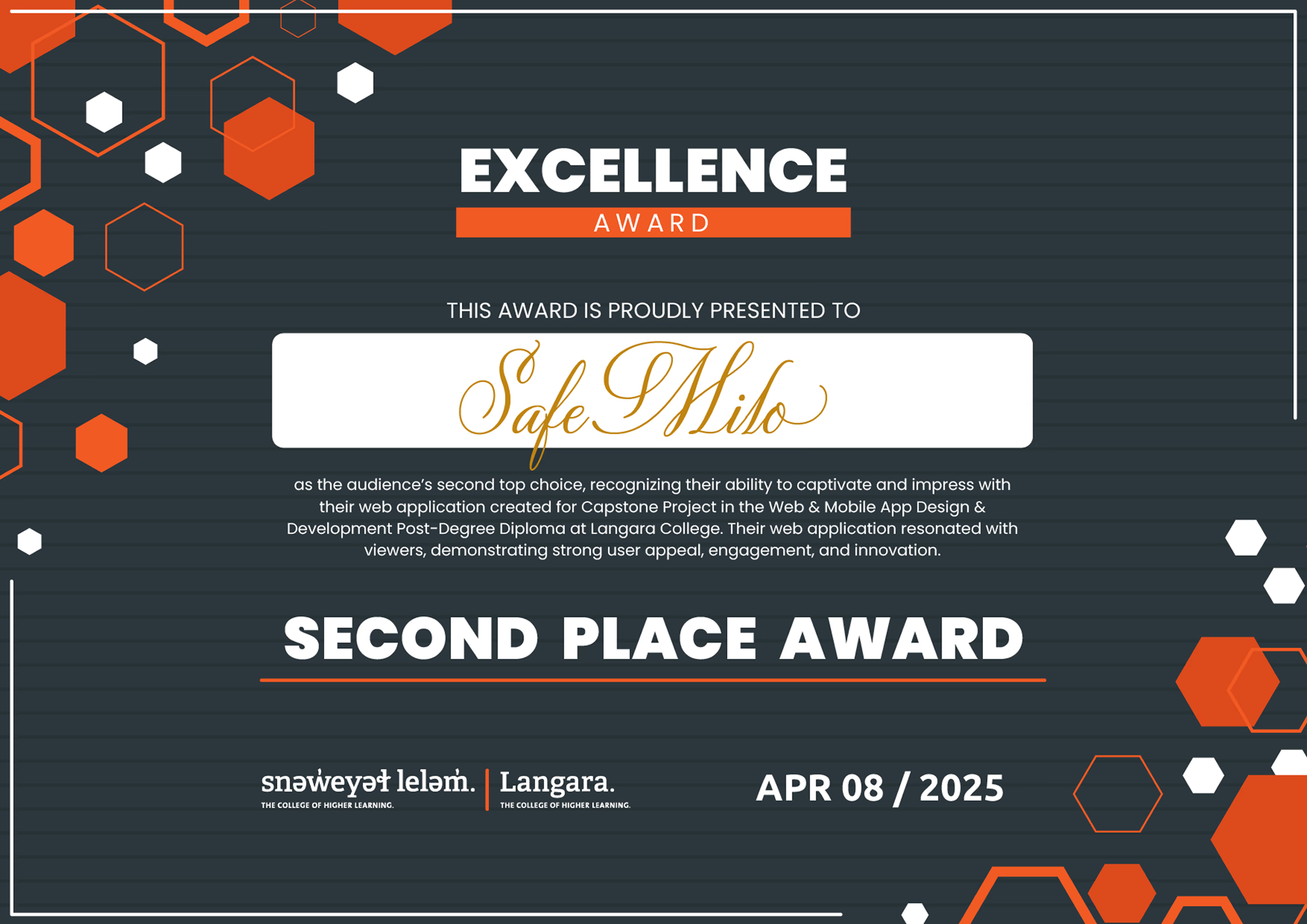
SafeMilo has been recognized for its innovative approach to senior safety and accessible design.
Interactive Prototype
Experience the SafeMilo app firsthand through our interactive Figma prototype. Click through the flows and explore the features designed to protect seniors from online scams.